Case Files & Client Upload Link
Court dockets hold the official filings, but active legal matters generate a lot more — photos, invoices, contracts, medical records, correspondence, and exhibits that never touch the docket. DocketBreeze's Files feature gives every matter a dedicated working file room: organized, folder-based, uploadable by anyone you authorize, and always separate from the official docket library. And when you need a client to send you materials, a single secure link is all it takes.
How It Works
Step 1: Open the Files tab
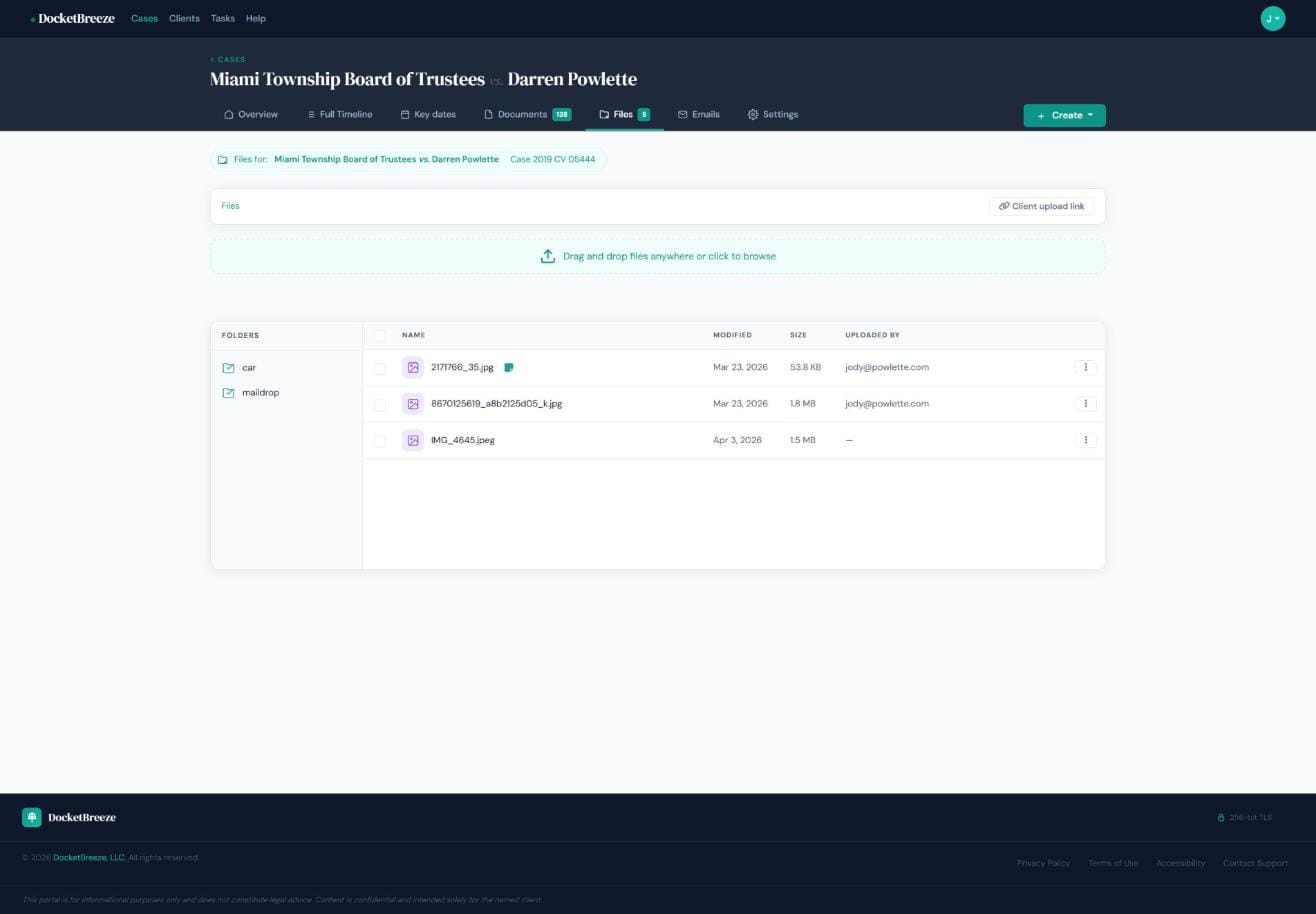
From any case workspace, click the Files tab. You'll see your matter's non-docket files organized into folders alongside a drag-and-drop upload area. The breadcrumb at the top shows you exactly which matter and case number you're in. Existing files display their name, last modified date, file size, and who uploaded them.
Step 2: Upload files yourself
Drag and drop files anywhere on the page, or click to browse. Files can be photos, PDFs, documents, or any type relevant to your matter. Organize them by creating folders — you might have separate folders for "Photos," "Correspondence," or "Invoices." Each file stores its uploader's email address, so you always know who added what.
Step 3: Generate a Client Upload Link
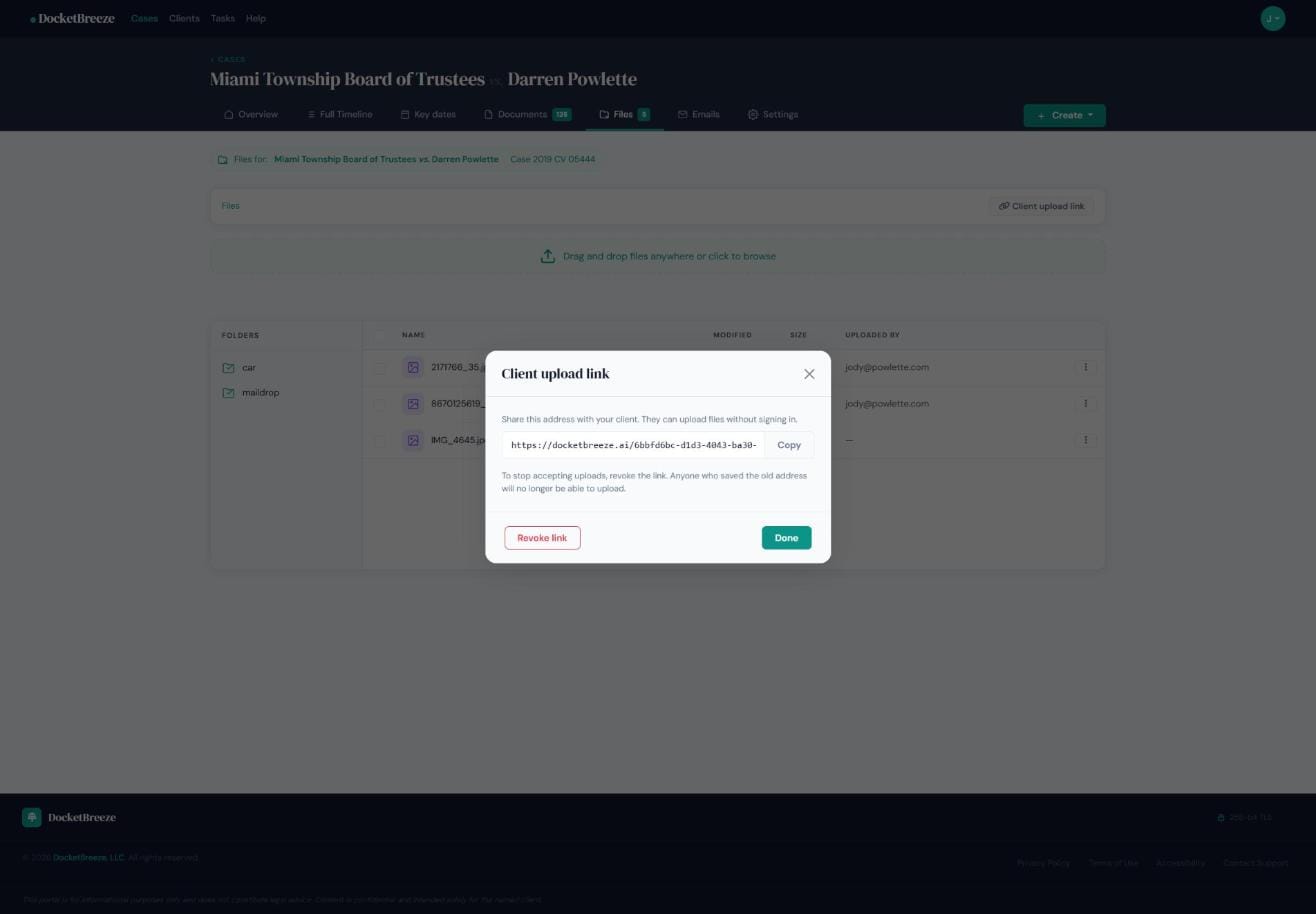
Click the "Client upload link" button in the top right of the Files area. A secure, unique URL appears — copy it and send it to your client via any channel. They visit the link, upload files directly into your case, and never need a DocketBreeze account. When you want to stop accepting uploads — when the matter closes, for example — click "Revoke link" and the URL stops working immediately.
Why It Matters
Every legal matter has two kinds of documents: the official docket filings, and everything else — the car photos, medical bills, contracts, and photos that tell the rest of the story. DocketBreeze keeps these separate and organized. And by letting clients upload materials directly via a secure link, you eliminate the email chain of attachments and the risk of documents landing in the wrong folder. The client upload link is particularly powerful because there's no friction for the client — they don't need to log in or create an account, yet every file lands exactly where it belongs.
Give your clients a simple way to send you what you need. Sign up at docketbreeze.ai and start using secure upload links today.
Check out more features
-
Client Case PortalDocketBreeze's Client Portal lets you share a read-focused view of any matter directly with your client, while Case Sharing lets you add co-counsel with full collaboration access. You decide who sees what, and you can revoke access at any time.
-
Full Case TimelineDocketBreeze's Full Case Timeline gives you and your clients a single, chronological record of every filing, hearing, deadline, and event from the first docket entry to the most recent.
-
Give Clients 24/7 Answers Without Interrupting Your DayClients call break your focus and eat into billable time. DocketBreeze's Ask About Your Case feature puts your clients in direct conversation with their own case documents, so they get accurate answers the moment they need them - without ever dialing your number.
-
The DocketDocketBreeze's Documents view is your structured docket library: every filing, organized by type and party, analyzed by proprietary AI with search and filters so the document you need is always one click away.