Client Case Portal
Clients want to know what's happening with their case — but they shouldn't need to call you every time they're curious. DocketBreeze's Client Portal lets you share a read-focused view of any matter directly with your client, while Case Sharing lets you add co-counsel with full collaboration access. You decide who sees what, and you can revoke access at any time.
How It Works
Step 1: Open Case Settings → Sharing
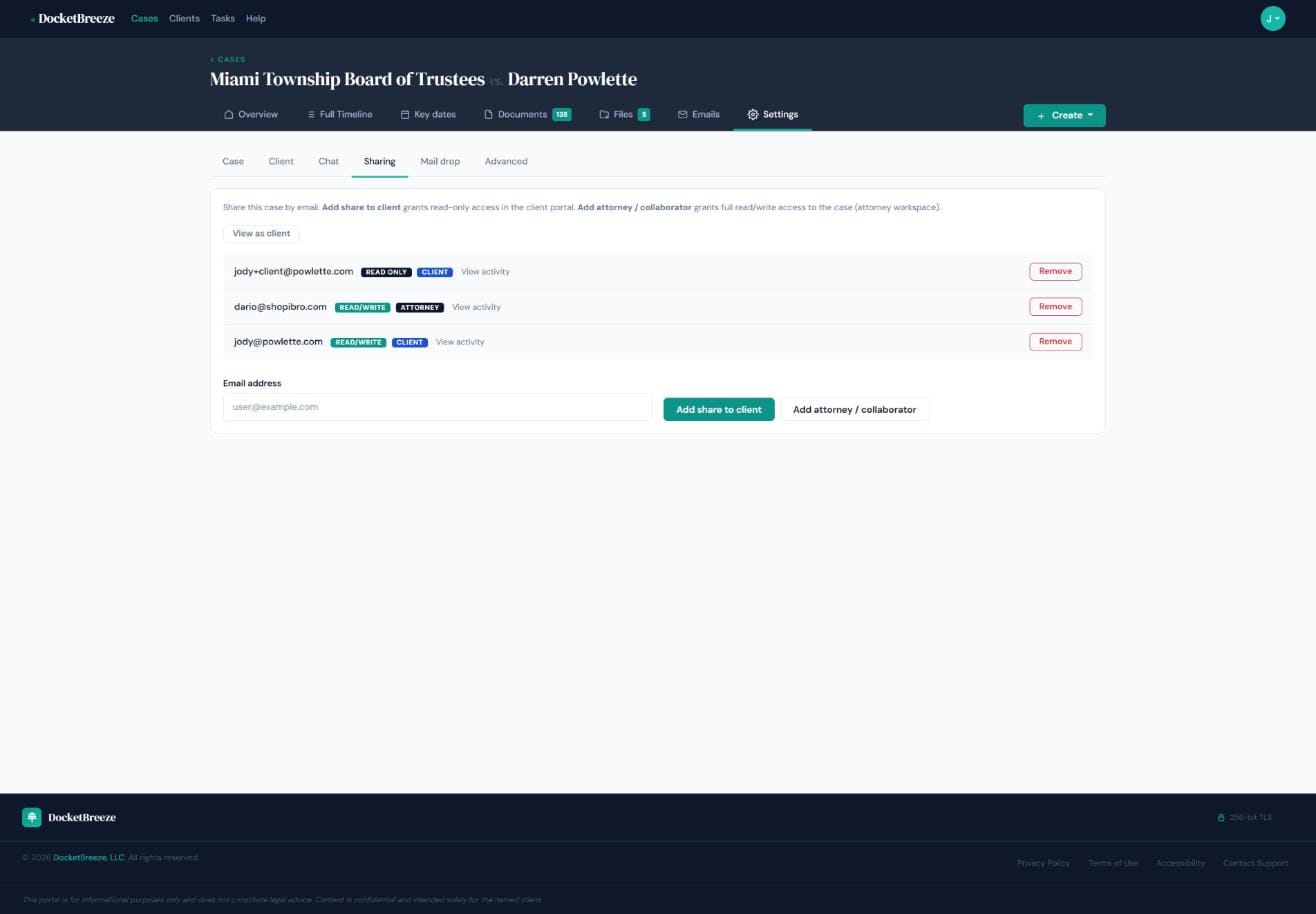
Navigate to the Settings tab of any case and click the Sharing sub-tab. You'll see all current shares listed with their email address, permission level (Read Only or Read/Write), and role (Client or Attorney). A "View as client" button lets you preview exactly what your client sees before you share.
Step 2: Share with a client
Enter your client's email address and click "Add share to client." They receive an invitation and gain access to the Client Portal — a streamlined version of the case workspace showing overview, timeline, key dates, documents, and files. Internal tools (notes, tasks, emails, settings) are never exposed. The client sees the information you choose — nothing more.
Step 3: Add co-counsel or a collaborator
Click "Add attorney / collaborator" to invite another attorney by email. They get full read/write access to the attorney workspace: the same view you have. This is ideal for co-counsel arrangements, associates reviewing the file, or paralegals working the matter. Remove anyone's access from the same Sharing settings page — it takes effect immediately.
What the client sees
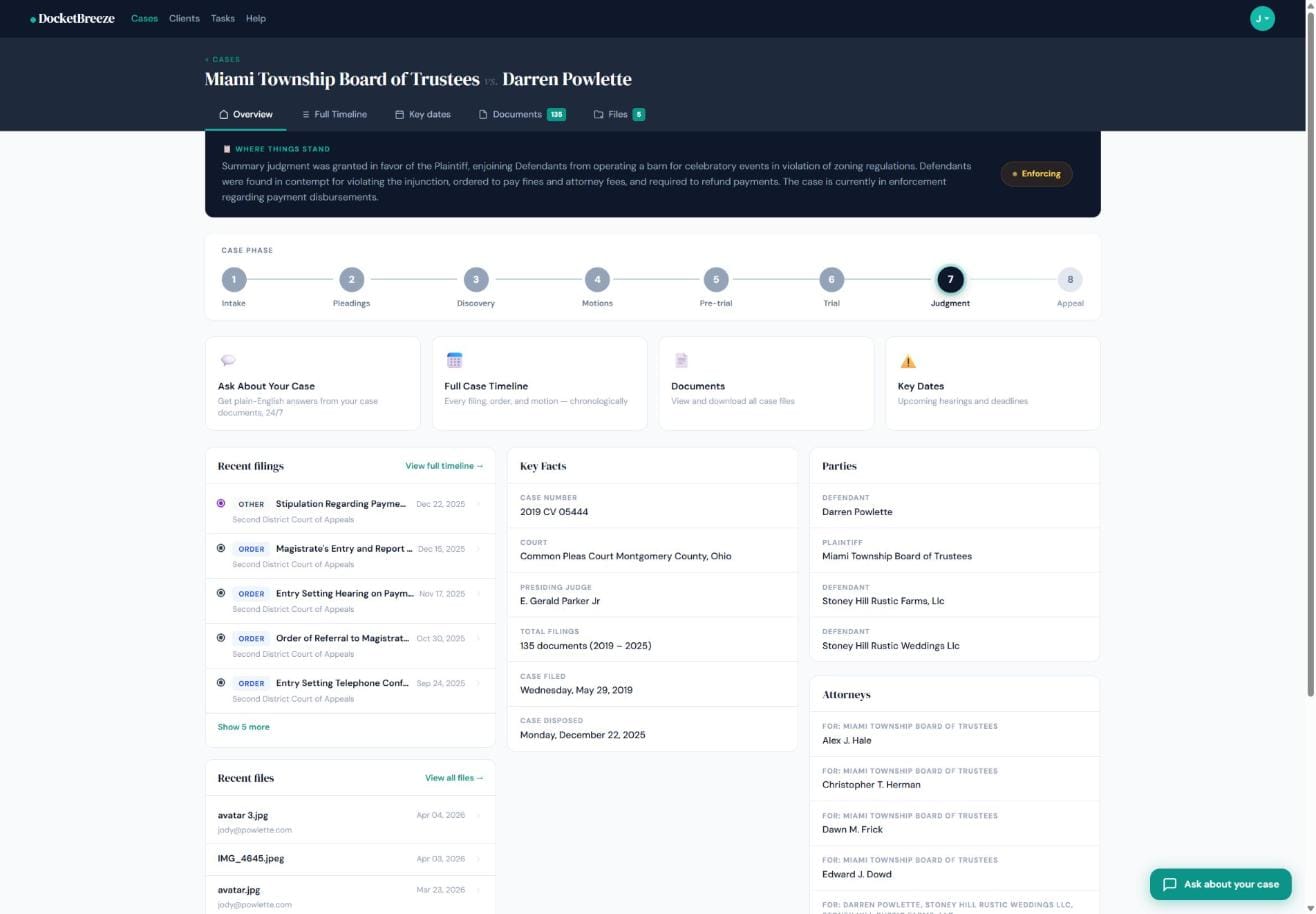
When a client logs in through their portal link, they see a clean version of the case workspace. They have access to the "Where Things Stand" summary, the Case Phase tracker, the Full Timeline, Key Dates calendar, Documents library, and Files. Your internal notes, tasks, email history, and settings remain completely private.
Why It Matters
Sharing access to a legal matter used to mean emailing documents and hoping the client read them. DocketBreeze's Client Portal puts the client in the same informational space as you — but with guardrails. They see the case narrative, the calendar, and the documents. You keep the strategy. The result is a better-informed client who calls less, trusts more, and feels like a real participant in their own case.
Ready to give your clients the portal experience they deserve? Sign up at docketbreeze.ai and share your first case today.
Check out more features
-
Case Files & Client Upload LinkDocketBreeze's Files feature gives every matter a dedicated working file room: organized, folder-based, uploadable by anyone you authorize, and always separate from the official docket library. And when you need a client to send you materials, a single secure link is all it takes.
-
Full Case TimelineDocketBreeze's Full Case Timeline gives you and your clients a single, chronological record of every filing, hearing, deadline, and event from the first docket entry to the most recent.
-
Give Clients 24/7 Answers Without Interrupting Your DayClients call break your focus and eat into billable time. DocketBreeze's Ask About Your Case feature puts your clients in direct conversation with their own case documents, so they get accurate answers the moment they need them - without ever dialing your number.
-
The DocketDocketBreeze's Documents view is your structured docket library: every filing, organized by type and party, analyzed by proprietary AI with search and filters so the document you need is always one click away.